
Device discovery
Periodic network scan, vendor lookup, and rename devices you recognize.
My Home Network keeps a running inventory of everything on your LAN from a Raspberry Pi — first seen, last seen, named by you — and alerts you when something new joins. Your data stays at home.
Launch price $9.90 for the first 50 customers — then $15.
If you already have a Raspberry Pi and would rather not spend a weekend wiring this up — not a cloud subscription.
Pre-configured for Raspberry Pi — save a weekend of DIY setup.
A local dashboard for device discovery, trust, and alerts — designed for home networks, not enterprise SOC teams.
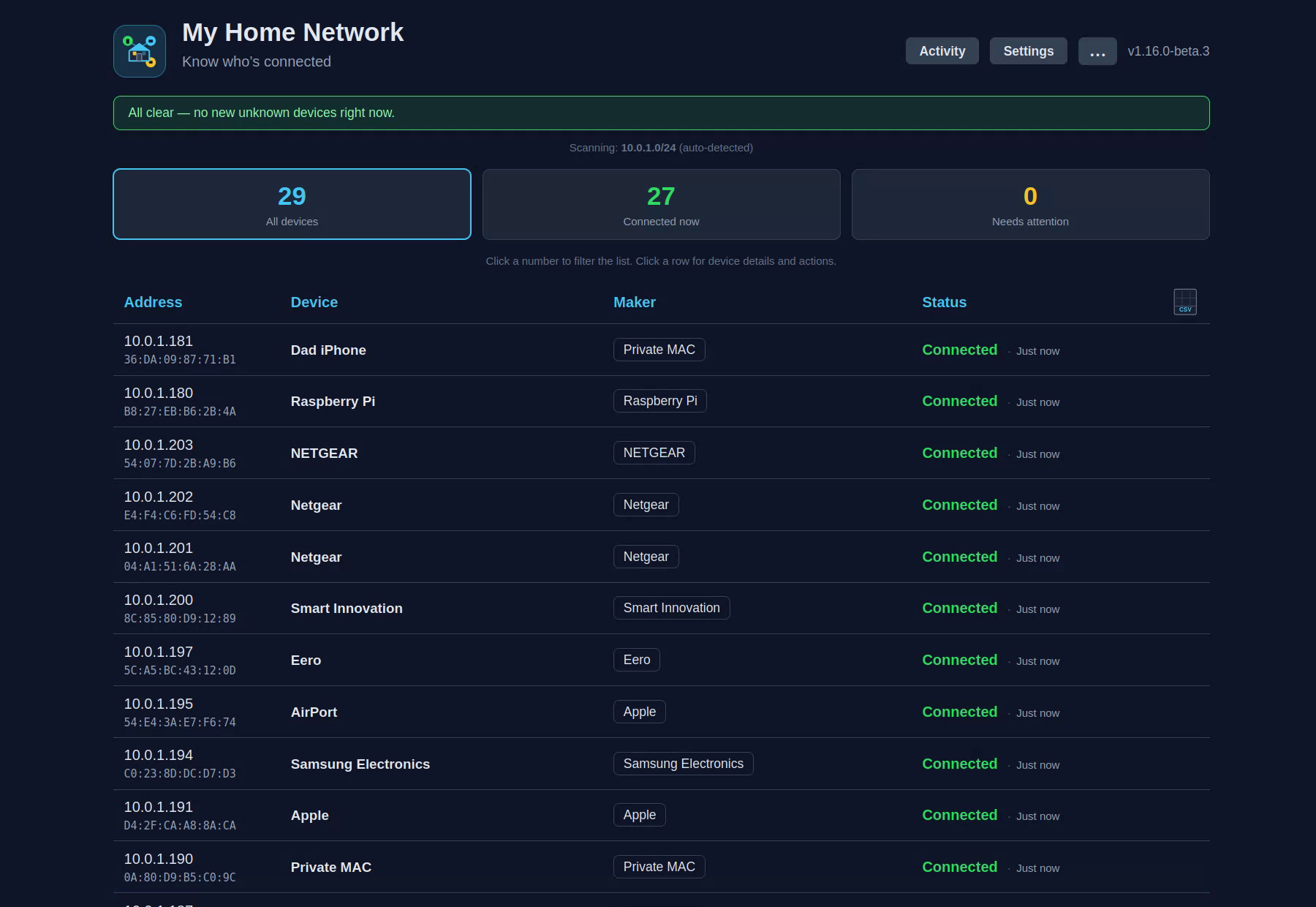
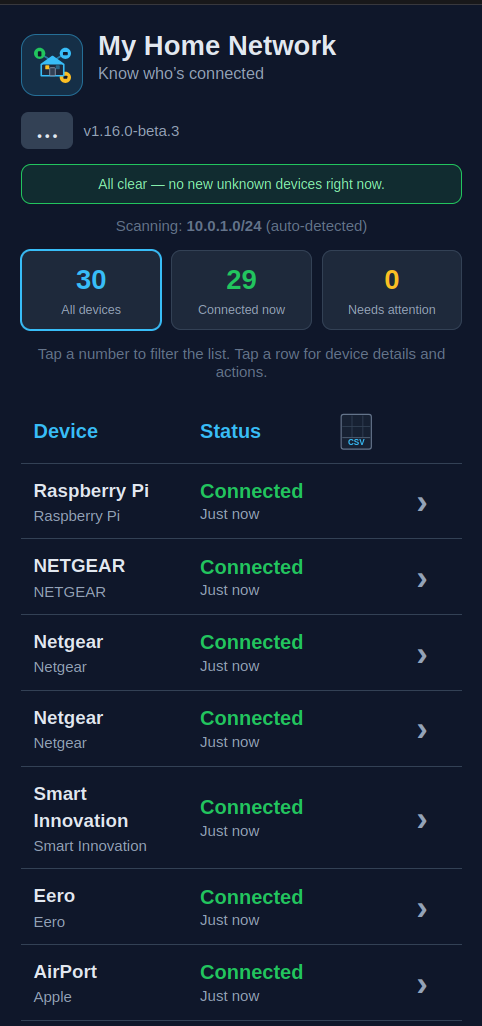
Configure Telegram or email alerts from the browser — no terminal needed after install.
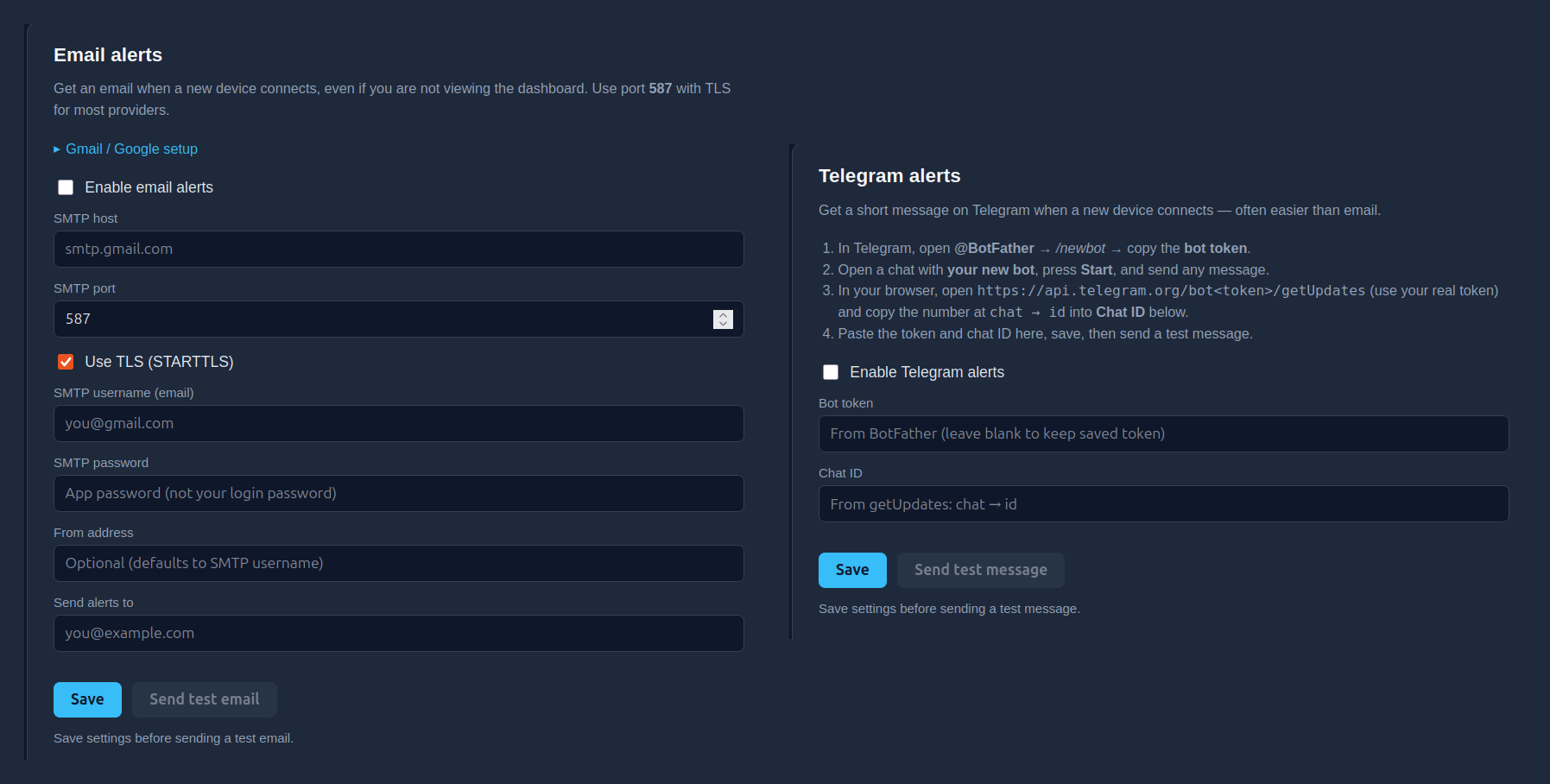
The pieces already assembled: no Docker, scripts, or alert plumbing to wire up yourself.
Periodic network scan, vendor lookup, and rename devices you recognize.
Mark devices as yours vs unknown. Get a modal when something new connects.
Notifications when you're away from the dashboard — optional, configured in Settings.
SQLite on your Pi. No cloud account required for core monitoring.
Early Access is a digital download kit — you provide the Raspberry Pi and a short SSH session.
mini-soc-VERSION.tar.gz)linux/arm64)Honest setup expectations — please read these first.
Early Access needs a one-time SSH setup. If you would rather wait for a version you just flash and open in your browser, leave your email and we will tell you when it is ready.
This is beta software. Features may change. Support is limited and best-effort. Founder pricing applies while setup still requires SSH — not a finished consumer appliance yet.
Early Access at the introductory price.
Launch price for the first 50 customers — then $15.
One-time digital kit · Raspberry Pi required
Price increases when the pre-flashed SD image ships.
Pre-configured Docker stack, guided onboarding, and a consumer-friendly UI. You trade a weekend of DIY for a curated kit aimed at home users.
No — it alerts you. Your router still controls who can join Wi‑Fi.
Many phones and laptops hide their real vendor ID for privacy. Rename the device if you know what it is.
Optional for Telegram and email alerts. Core LAN scanning works without cloud services.
A digital download kit — not hardware. You provide the Raspberry Pi and complete a one-time SSH setup.
No — Early Access beta. A pre-flashed SD image and higher price tier will follow.
See our Terms & License, Privacy Policy, and Refund Policy. Purchases are handled by Lemon Squeezy as Merchant of Record; support is best-effort during Early Access.
One-time $9.90 digital kit for the first 50 customers (then $15) · Raspberry Pi required. Secure checkout handled by Lemon Squeezy as Merchant of Record. Please read our Refund Policy before buying.
Buy now — $9.90Questions? support@myhomenet.app